
Open traces and reports
A trace records the terminal, test steps, actions, assertions, semantic state, application logs, and process failure details for one terminal session. A test attempt that launches several terminals can produce several trace archives.
By default, Termwright deletes traces for passing tests and retains them for failures. This keeps normal runs small while preserving the state needed to debug a failure.
Replay a trace
Section titled “Replay a trace”Open a trace from a local run or a downloaded CI artifact:
npx termwright ui --trace path/to/run.twtraceUse the player to seek through terminal frames. The selected test step, semantic tree, logs, and failure marker follow the same point in time.
Choose which traces to keep
Section titled “Choose which traces to keep”Configure trace with one of these values:
| Value | Behavior |
|---|---|
retain-on-failure | Keep failed attempts; delete passing attempts. This is the default. |
on-first-retry | Record retry 1 (the second attempt), not the initial attempt. Without a retry, no trace is written. |
on | Keep passing and failing attempts. |
off | Do not record a trace. |
Use on temporarily when investigating a behavior that still passes. Use
off when recording is prohibited, accepting that the run cannot be replayed.
See Configuration for setup.
Create an HTML report
Section titled “Create an HTML report”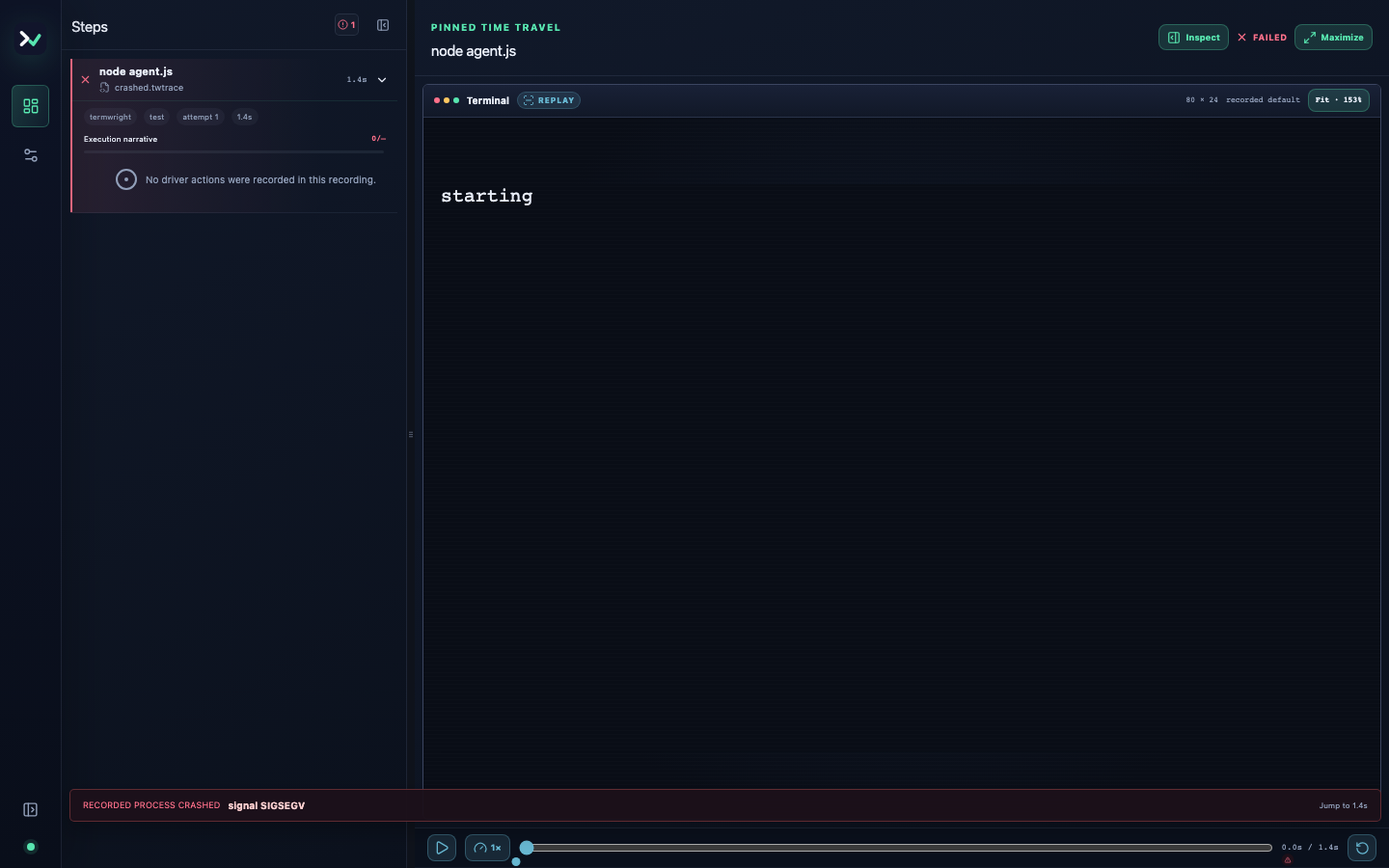
Convert one trace into a file that can be opened without Termwright:
npx termwright report --trace path/to/run.twtrace --out-file report.htmlThe HTML file includes its viewer and recorded data. Attach it to an issue or CI run only after applying your normal artifact access and retention policy.
Capture a PNG
Section titled “Capture a PNG”Capture the terminal at a time in milliseconds or at a numbered test step:
npx termwright screenshot --trace path/to/run.twtrace --at 1200 --out-file state.pngnpx termwright screenshot --trace path/to/run.twtrace --step 3 --scale 2Without --at or --step, Termwright captures the crash point or the end of
the last step. This avoids an empty final frame after a full-screen application
has exited.
Upload failure artifacts in CI
Section titled “Upload failure artifacts in CI”Upload termwright-report/ and .termwright/runs/ only when the job fails or
is cancelled. The first contains traces and any reports explicitly written
there; the second
contains run history and links attempts to those traces. With GitHub Actions,
remember that hidden paths require include-hidden-files: true.
Runner labels an interrupted or damaged trace as incomplete instead of replaying it as if it were a complete recording.
Handle sensitive data
Section titled “Handle sensitive data”Traces and reports can include terminal text, semantic values, logs, commands, paths, and error stacks. Trace redaction handles sensitive input and semantic values, registered secrets, and configured patterns. It cannot discover every application-specific secret.
Read Protect secrets before using production-like credentials or sharing an artifact.