
Record a test
The recorder starts a real terminal session and builds test source from the interactions you choose to retain. Recording does not write a test file until you review and save it.
Start recording
Section titled “Start recording”From the command line:
npx termwright ui --record --out-file tests/permission.test.ts -- node app.jsOr open Specs, choose New test, and select Record test. Enter the command and destination, then start the session.
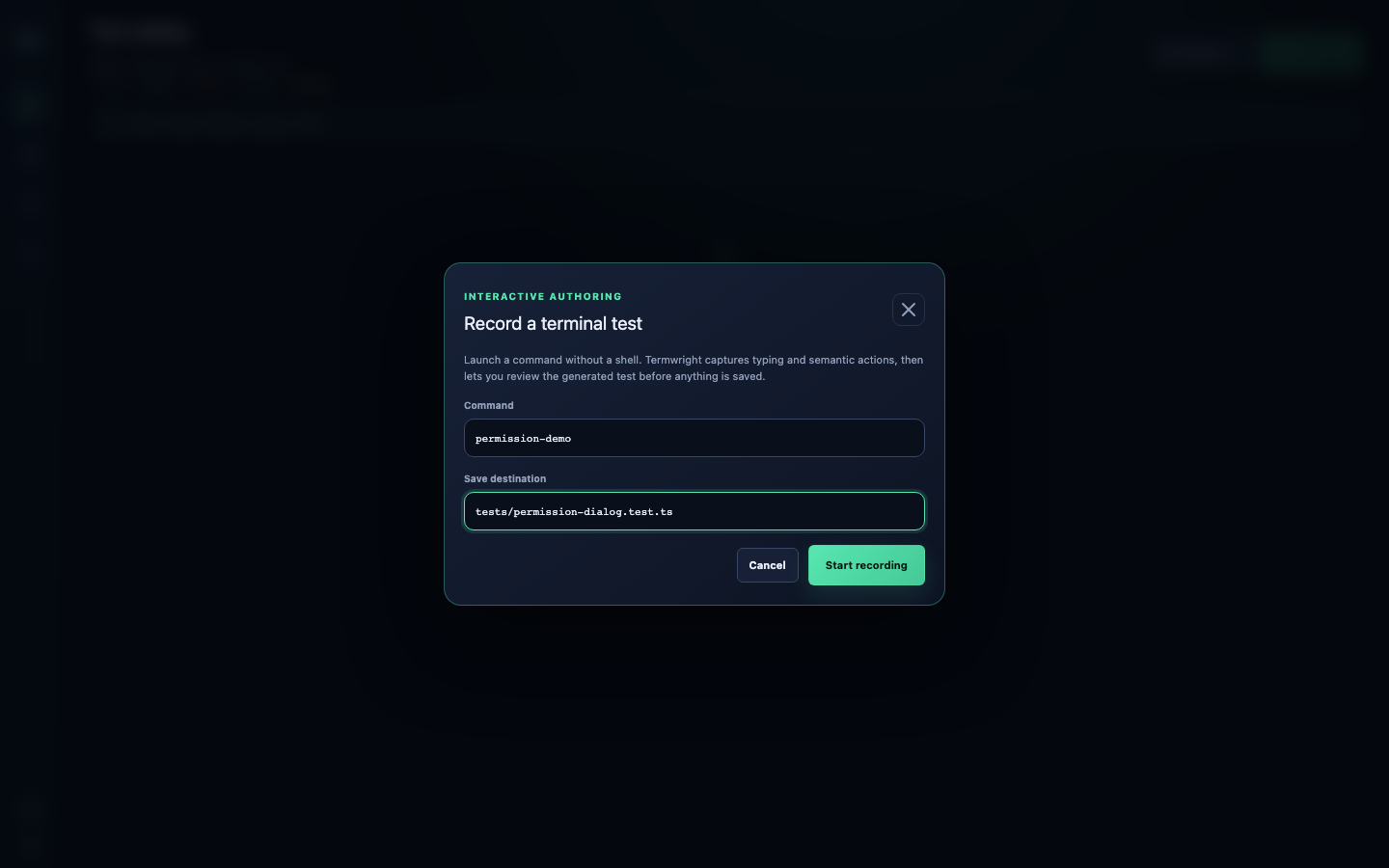
Build the test
Section titled “Build the test”While recording:
- type and press keys in the terminal;
- add a named step before a group of interactions;
- select a semantic element to add a locator-based action or assertion;
- capture a cell or semantic snapshot where a stable state matters.
The recorder shows generated source as the session changes. Semantic actions are available only when the application publishes the required target and capability.
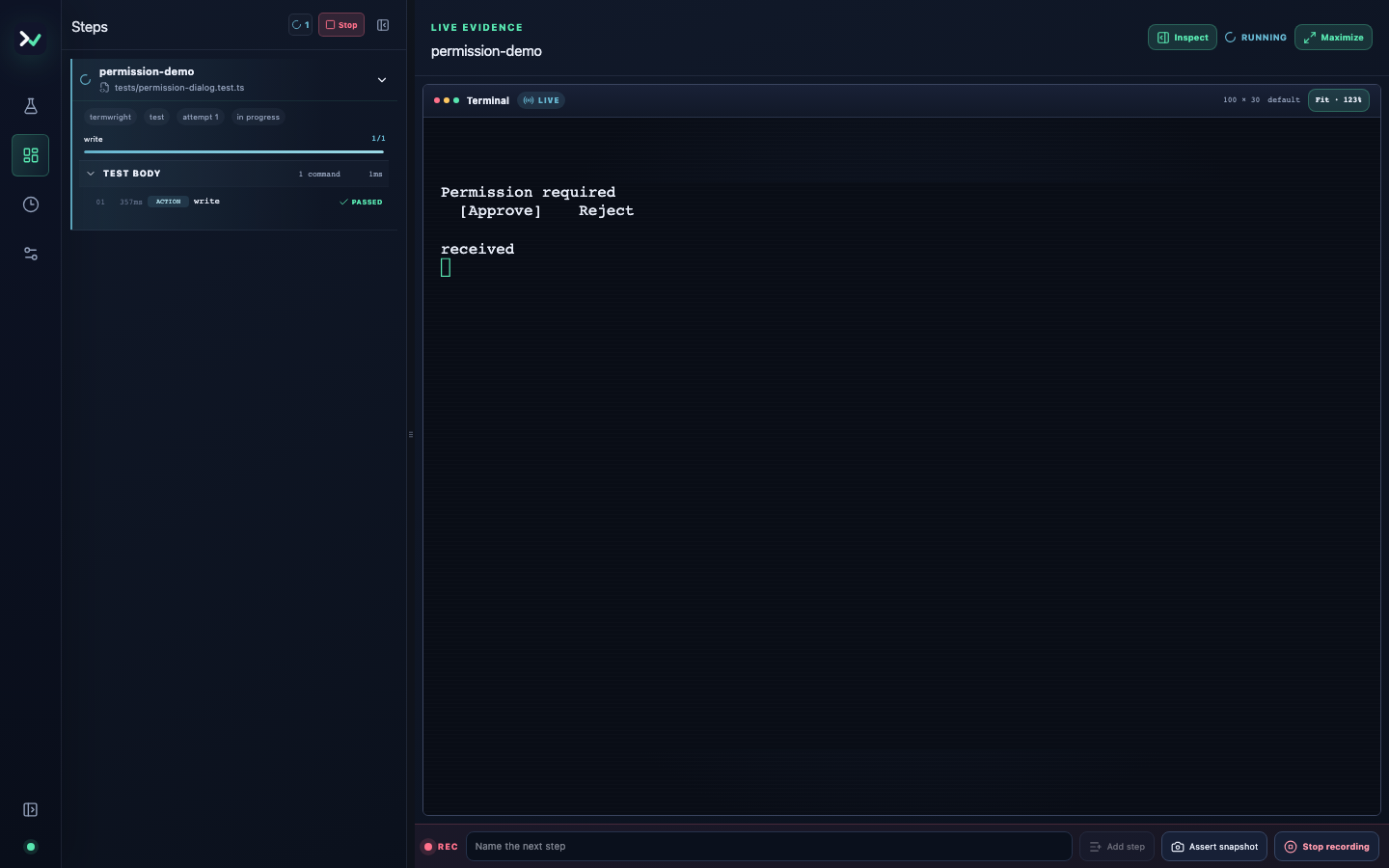
Stop and review
Section titled “Stop and review”Choose Stop recording to enter review. Check:
- the launch command and destination;
- step names;
- whether locators describe user intent;
- generated assertions and snapshots;
- imports and test title.
Choose Save to write the file. Choose Discard to close the recording without writing it. Closing the review dialog with Escape also leaves the destination untouched.
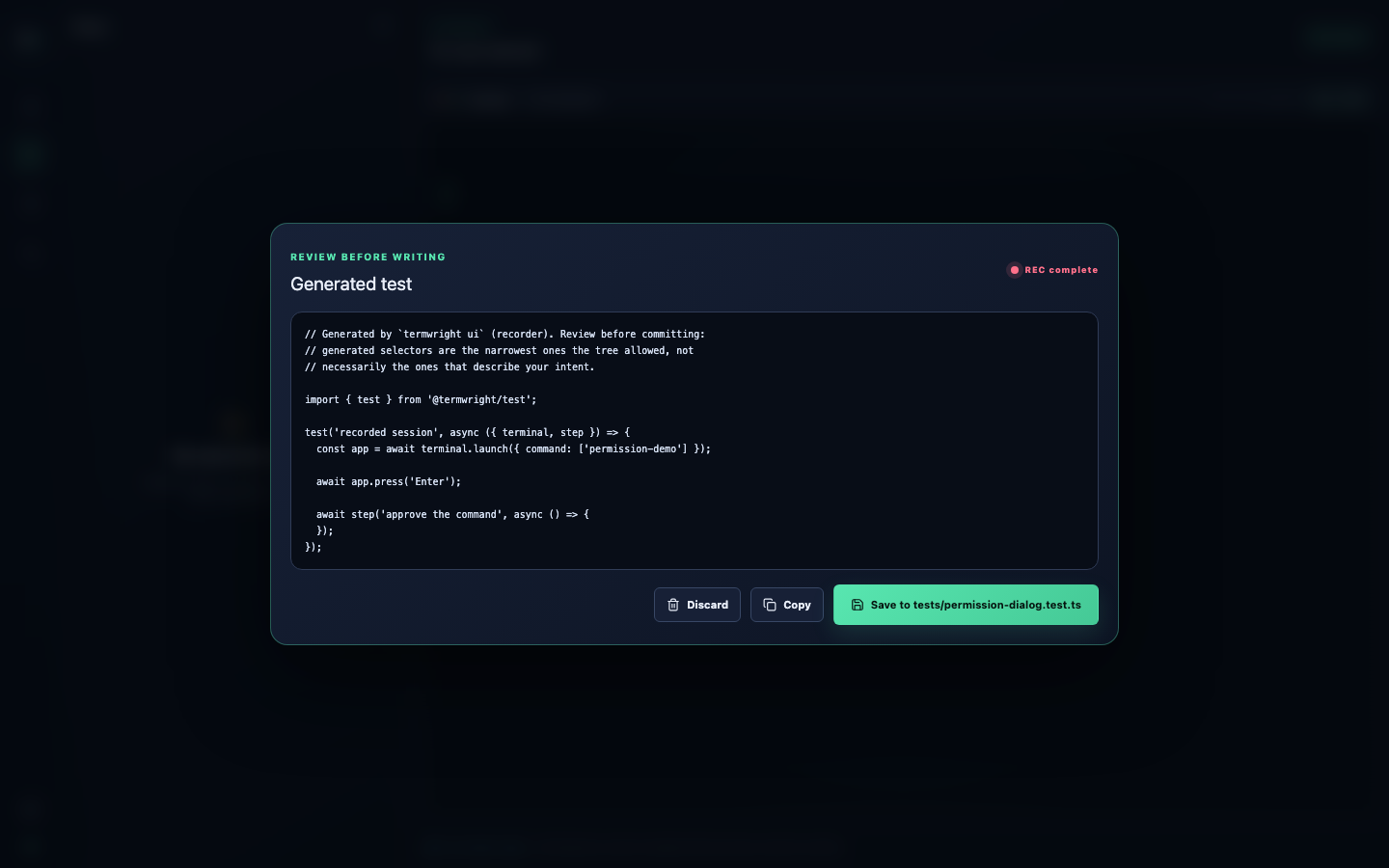
Use the generated test as a starting point
Section titled “Use the generated test as a starting point”Run the saved file immediately:
npx termwright test -- tests/permission.test.tsThen simplify it. Remove incidental interactions, add assertions for the outcome, and replace positional selectors with role/name locators where possible. A recorded sequence is useful scaffolding; the maintained test should describe the behavior it protects.
Record from a dedicated command
Section titled “Record from a dedicated command”termwright codegen is an alias for the recorder-focused workflow:
npx termwright codegen --out-file tests/permission.test.ts -- node app.js